AppLock Pro - App Lock & Guard
App Lock LLCProductivity
4.413.52K Reviews
- Version
- 5.7.6
- Installs
- 100.00M
- Age Rating
- Everyone
Screenshots
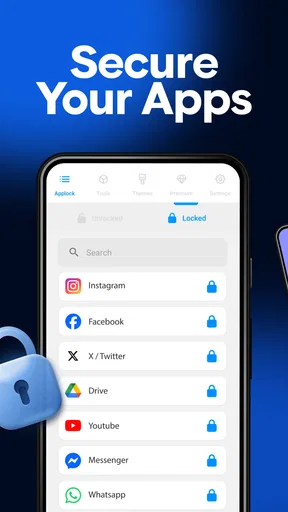
Our Review of AppLock Pro - App Lock & Guard
 Analysis by Appyee
When I think about phone privacy, I don’t only think about messages or photos being stolen. I also think about the awkward everyday moments when I lend someone my phone to look at a picture, check a map, or make a call, and worry they might tap somewhere else. That is the problem AppLock Pro - App Lock & Guard is meant to address: it adds a separate lock to selected apps, giving me more control over what another person can open on a shared device.
Who benefits from a separate app lock?
I find this kind of tool most useful for people who share a phone occasionally but do not want to hand over access to everything on it. A parent letting a child use a device, a friend borrowing a phone to choose a playlist, or a colleague checking a work calendar may need access to one screen without access to private chats or saved pictures. Locking only the apps that matter can make those quick handoffs less stressful than repeatedly explaining where not to tap.
It is also a practical choice for someone who wants a simple privacy layer without changing how they use the rest of their phone. I would not treat it as a replacement for a strong device passcode or careful account security: an app-level lock is an extra boundary, not a complete answer to every privacy risk. If the phone is already protected and nobody else ever handles it, the extra prompts may feel like more friction than benefit.
Getting Started with AppLock Pro
First things first, downloading and installing AppLock Pro - App Lock & Guard is a breeze. Just head over to the Google Play Store or Apple App Store, search for it, and hit that install button. Once it’s on your device, the setup wizard guides you through a simple process to get your privacy fortress up and running.
The app welcomes you with a user-friendly interface, making it easy for even the most tech-challenged among us to navigate. You start by setting up a pattern or a PIN code, which acts as your first line of defense. The onboarding process is intuitive, helping you understand how to lock individual apps or entire folders.
Readability, setup, and everyday navigation
For a tool that sits between me and other apps, the main test is whether I can understand its controls without having to study a manual. A clear setup matters because a lock that is confusing to configure can leave important apps unprotected or make ordinary phone use irritating. I’d take a moment during setup to decide which apps genuinely need a barrier, rather than locking everything just because the option is there.
That small bit of planning also makes the interface easier to live with later. A focused list—such as messaging, photos, and a work app—gives the lock a clear purpose. If I add every app, the repeated authentication can make common tasks feel slow, and I may be tempted to disable protection altogether. The most useful setup is usually the smallest one that solves a real concern.
AppLock Pro is a productivity app from App Lock LLC. It is free to install, with optional in-app purchases ranging from under a dollar to just under a hundred dollars per item. It is rated for Everyone, and its current version is 5.7.3, with Android 7.0 as the minimum operating system. The app has a 4.4 average from around two million ratings and has passed 100 million installs, so it is a widely used option rather than a niche utility.
Features That Stand Out
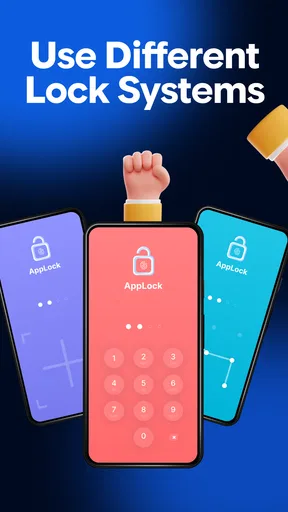
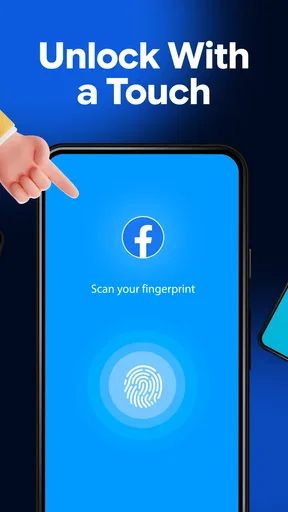
One of the coolest features of AppLock Pro is its ability to lock apps with different methods. You can choose from a PIN, pattern, or even your fingerprint if your device supports it. This flexibility means that you can tailor your security to suit your comfort level.
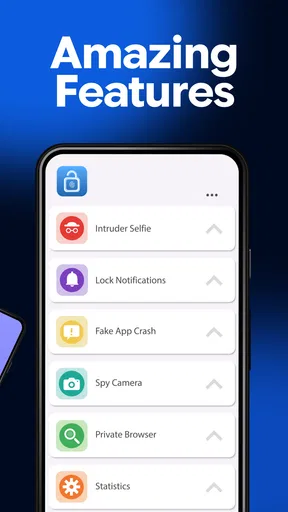
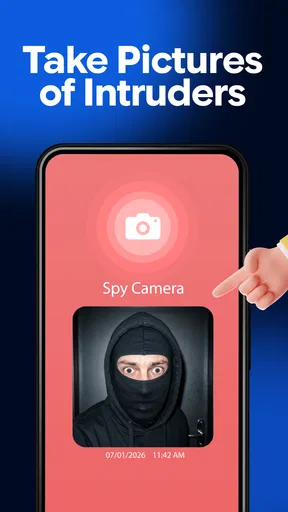
Another neat feature is the Intruder Selfie. If someone tries to snoop around and enters the wrong password, the app snaps a photo of the intruder. It’s like having a little detective in your pocket!
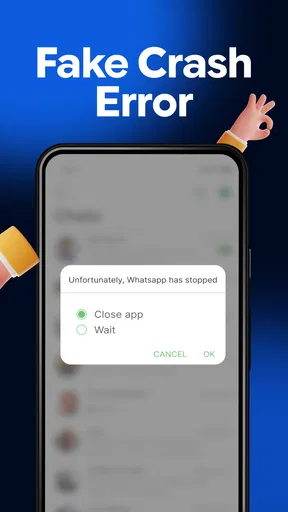
AppLock Pro also offers a Fake Cover, which allows you to disguise your locked apps with a fake error message. Imagine someone trying to open your gallery only to be met with a "Unfortunately, Gallery has stopped" message.
Motor, sensory, and situational considerations
Having different unlock methods can matter for more than convenience. A person who finds patterns difficult to trace may prefer entering a PIN; someone who has trouble typing accurately may appreciate fingerprint unlocking when their device supports it. Neither choice is automatically best for everyone, so I would test the method in the situations where I actually use the phone: one-handed, in a hurry, or while moving between apps.
The same is true for sensory comfort. Repeated lock prompts can interrupt a task, and a hidden or misleading cover may confuse someone who relies on predictable visual cues. If another person uses the phone regularly, I would explain which apps are protected and agree on a simple way to hand over the device. A privacy tool should reduce uncertainty, not create it for a family member or helper who needs to use the phone.
A realistic example is handing a friend the phone to show a travel photo while waiting for a ride. I’d keep the gallery available for that moment only if I’m comfortable with it, while protecting messages and other private apps from casual browsing. For a longer handoff, I’d check the selected apps beforehand and avoid relying on memory in the moment. That is a more dependable workflow than trying to configure everything while someone is already waiting.
Performance and Usability
Now, let’s talk about how the app performs in real-world scenarios. I’ve been using it for a couple of weeks, and I must say it’s pretty solid. There’s no noticeable lag when opening locked apps, and it hasn’t crashed once. It runs smoothly in the background without draining your battery, which is a huge plus.
One thing I really appreciate is the level of customization. You can decide which apps you want to lock and even set schedules for when the lock should be active. This is perfect for those moments when you’re sharing your phone with someone and only want certain apps to stay protected.
Choosing what to lock—and what to leave alone
Schedules can help when privacy needs change during the day: a device shared during a particular routine may need different protection from one used privately at home. I would start with a short list, then notice where an extra prompt actually helps. If a locked app is opened dozens of times for harmless tasks, that is a sign to reconsider the schedule or remove it from the protected group.
Compared with relying only on the phone’s main lock screen, an app lock can be more convenient when someone needs temporary access to the already-unlocked device. Compared with simply asking a borrower not to open certain apps, it creates a clearer boundary. But it is not necessarily better than built-in device controls for every situation: if the main concern is a child’s access to the whole phone, the operating system’s family or screen-time tools may be a better fit. AppLock Pro is most compelling when the goal is selective privacy, not broad device management.
Why You Might Love It
If you’re someone who values their privacy and wants to ensure their personal data stays out of prying eyes, then AppLock Pro is a must-have. It’s particularly useful for people who often lend their phones to friends or colleagues.
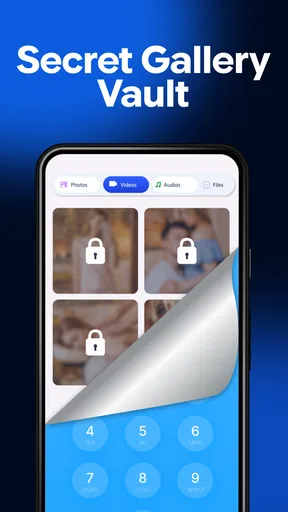
The app doesn’t just stop at locking apps. It also offers a Vault to store sensitive photos and videos, ensuring you have multiple layers of protection.
Trade-offs and remaining barriers
Extra protection comes with extra steps. If I lock an app I need constantly, the authentication prompt becomes part of every visit, which can be tiring for someone with limited dexterity or anyone trying to work quickly. A fingerprint option may ease that burden on a compatible device, but it is still worth keeping a backup method that I can enter reliably. Choosing a code that is easy for me to recall without making it obvious to someone else is a small but important part of setup.
The Intruder Selfie and Fake Cover also suit different comfort levels. A photo response may feel reassuring to one person and intrusive or stressful to another, while a fake error screen can make an app appear broken rather than protected. I would use these features only if their effect fits the people who use the device. For a shared family phone, straightforward communication may be kinder and more practical than trying to disguise why access is blocked.
There is also a basic limitation to keep in mind: locking an app does not make every piece of information inside it disappear from notifications, previews, or other places on the phone. I would review the device’s own notification settings for sensitive conversations instead of assuming an app lock handles that separate issue. Likewise, a vault is useful for organizing private media, but it should not be mistaken for a full backup plan; I would keep important files safe through the methods I already trust.
Final Thoughts
So, is AppLock Pro - App Lock & Guard worth your time? In my opinion, absolutely. It’s a robust, reliable app that does exactly what it promises without overcomplicating things. Whether you’re protecting work documents, personal chats, or just want a little more peace of mind, this app is a great choice.
Overall, AppLock Pro is like having a secret vault in your phone, keeping your digital life safe and sound. If privacy is your priority, give it a shot and let it work its magic.
Who should choose another approach?
I would skip an app-level lock if I need accessibility settings that make extra prompts difficult to manage, if I rarely share my phone, or if I mainly need to limit a child’s overall device use. In those cases, a simpler device passcode, built-in family controls, or a clear guest-access option may address the problem with fewer interruptions. I’d also avoid treating any one lock as permission to share highly sensitive information casually; good device habits still matter.
For someone who does lend a phone now and then and wants selected apps kept private, though, the appeal is straightforward. AppLock Pro offers a way to make that boundary more concrete, with choices such as PIN, pattern, supported fingerprint unlocking, schedules, and its vault. I’d begin with only the apps I most want to protect, try the unlock method for a few days, and adjust if the safeguards start getting in the way. That balance is what makes the app useful: protection should fit the person and the moment, not turn every ordinary tap into a hurdle.
Verdict
Strengths of AppLock Pro - App Lock & Guard
- User-friendly interface, easy to navigate.
- Highly customizable security settings.
- Supports fingerprint and face unlock.
- Low battery consumption for background tasks.
- Regular updates enhance app features.
Limitations of AppLock Pro - App Lock & Guard
- Ads in free version can be intrusive.
- Some features locked behind paywall.
- Occasional lag in older devices.
- Limited language support for non-English users.
- Doesn't support password recovery.
Similar Picks in This Category
View All
Google Calendar
Google LLC4.6

Google Drive
Google LLC4.3

Google Assistant
Google LLC3.9

Microsoft OneDrive
Microsoft Corporation4.6

Samsung Calendar
Samsung Electronics Co., Ltd.4.1

Microsoft OneNote: Save Notes
Microsoft Corporation4.6
Frequently Asked Questions
What is AppLock Pro and how does it work?
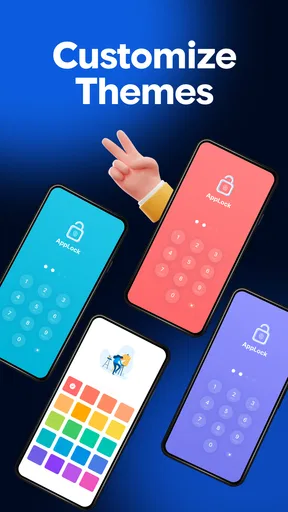
AppLock Pro is a security application designed to protect your privacy by locking apps with a password, pattern, or fingerprint. Once installed, it allows you to choose which apps you want to secure, preventing unauthorized access. The app also offers features like intruder selfies and customizable lock themes to enhance security and personalization.
Is AppLock Pro compatible with both Android and iOS devices?
AppLock Pro is primarily designed for Android devices. While there are similar apps available for iOS, the security framework of iOS limits some functionalities. It's essential to check the app store for device-specific versions or alternatives if you're an iOS user. Always ensure compatibility with your device's operating system before downloading.
Does AppLock Pro consume a lot of battery and system resources?
AppLock Pro is optimized to operate efficiently without significantly draining your battery or using excessive system resources. It runs in the background with minimal impact on performance. However, like any app, its consumption can vary based on usage and the number of apps being monitored. Regular updates help maintain its efficiency.
How secure is AppLock Pro against intruders?
AppLock Pro offers robust security features, including password, pattern, and fingerprint locks. It also takes intruder selfies, capturing images of unauthorized access attempts. However, no app can guarantee 100% security. Users are advised to regularly update the app and use strong, unique passwords to enhance protection.
Can AppLock Pro lock system apps and settings?
Yes, AppLock Pro can lock both user-installed and system apps, including settings. This is particularly useful for preventing unauthorized changes to your device’s settings or accessing sensitive information. Be cautious when locking essential system apps, as it might affect device functionality if not used properly.
